


How do I add dynamic UTM parameters to Google Ads?
Asked 4 years ago
I want to track information about the source of clicks on my Google Ads. I know that auto-tagging UTM tags is the default setting to track the source of customer clicks. Since I want to record them but don't know how, I believe manually adding the tags is more practical. Can someone explain it to me?
Dante Thomas
Thursday, June 30, 2022
To add dynamic parameters to Google Ads, follow this step:
- On your Google Analytics account open the campaign you want to track and click "settings" next "additional settings" and finally "Campaign URL options".
- Insert a tracking template that should include the source, medium, keyword, device, placement, and creative. You can then use the link automatically created by Google in your marketing campaign.
To measure your success go to "Audience" then "Sources" and then "Campaigns". Click on the campaign to view the source or medium.
Please follow our Community Guidelines
Related Articles

How to Build a Successful Sales Funnel in WooCommerce
Brody Hall
December 22, 2021
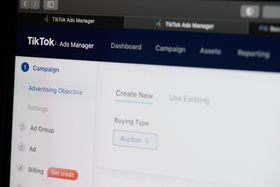
Will TikTok Ads Be Worth It for E-Commerce Sellers in 2023?
Ashley Stander
September 21, 2022

Revenue vs. Product Revenue Discrepancy in GA4—Resolved
Ashley Stander
May 3, 2023
Related Posts
Blog
Luis Velez Torres
CPC Industry Benchmarks: Are You Spending Too Much?
Blog
Luis Velez Torres
Click Through Rate: Best Platforms to Advertise in 2023
Can't find what you're looking for?